Getting started
First-login setup
Fill in your profile, emergency contact, and preferences the first time you sign in.
Who can use thisMemberRide leadAdminOwner
Equipe opens a short setup wizard the first time you sign in. It sets your profile, an emergency contact, and your units. You can skip it and finish later from Settings.
- Sign in for the first time to open the setup wizard.
- Type your Display Name and Phone Number, then click Next.
- Type a Name and Phone for your emergency contact, then click Next.
- Choose Metric (km, m) or Imperial (mi, ft), and Celsius (°C) or Fahrenheit (°F).
- Click Finish.
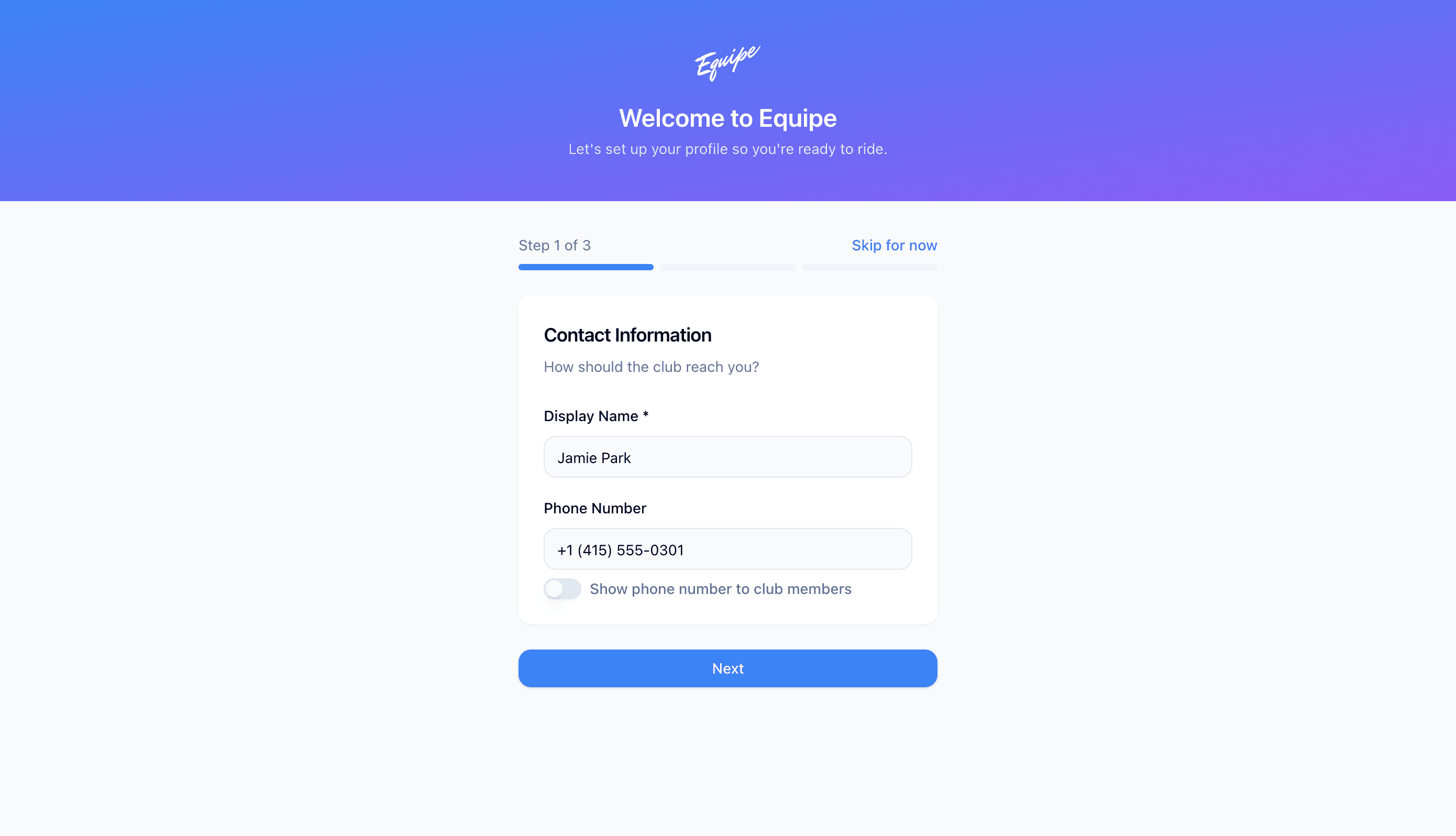
Tap Skip for now at any step. Finish your profile later from Settings.
For your emergency contact, fill in both the name and phone number, or leave both blank.