Club administration
Manage members and roles
Change a member's role, pause a membership, or remove a member.
Who can use thisOwner
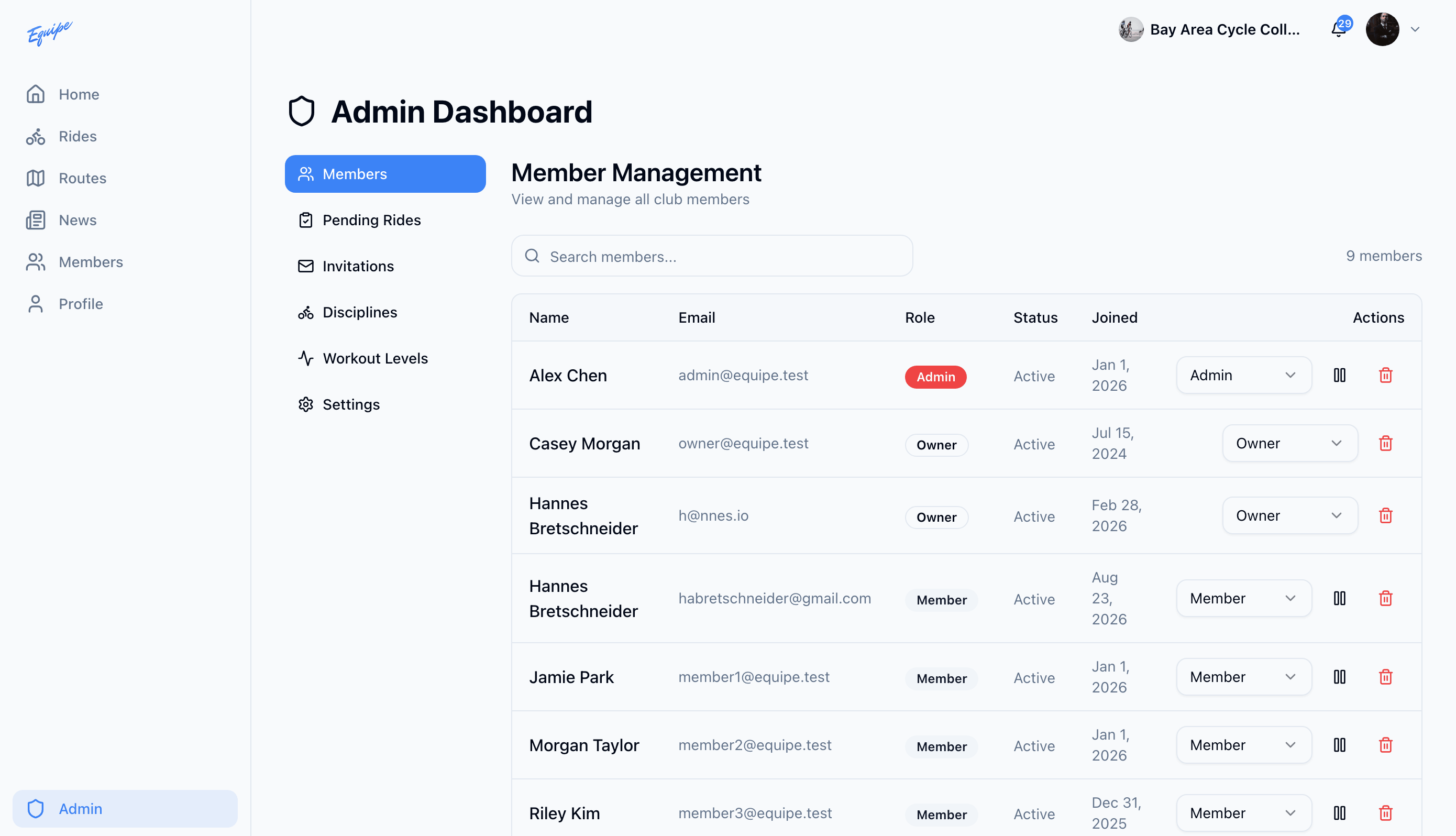
The owner manages every member from one table. Change a role to give someone more or fewer rights. Pause a membership to block access without losing the member's history, or remove a member for good.
- Open Admin and click Members.
- Find the member. Use the search box if your club has many members.
- Choose a new role from the dropdown in that row to change a role.
- Click the pause icon, then click Pause, to pause a membership.
- Click the trash icon, then click Remove, to remove a member.
A club must have at least one owner. The app blocks removing or demoting the last owner.