Leading rides
Create a ride
Start a new ride with the creation wizard, on the web or on your phone.
Who can use thisRide leadAdminOwner
Any ride lead, admin, or owner can create a ride. The wizard first asks for a route, then asks for the ride details. Recurring rides and co-leads have their own pages, linked from the details step.
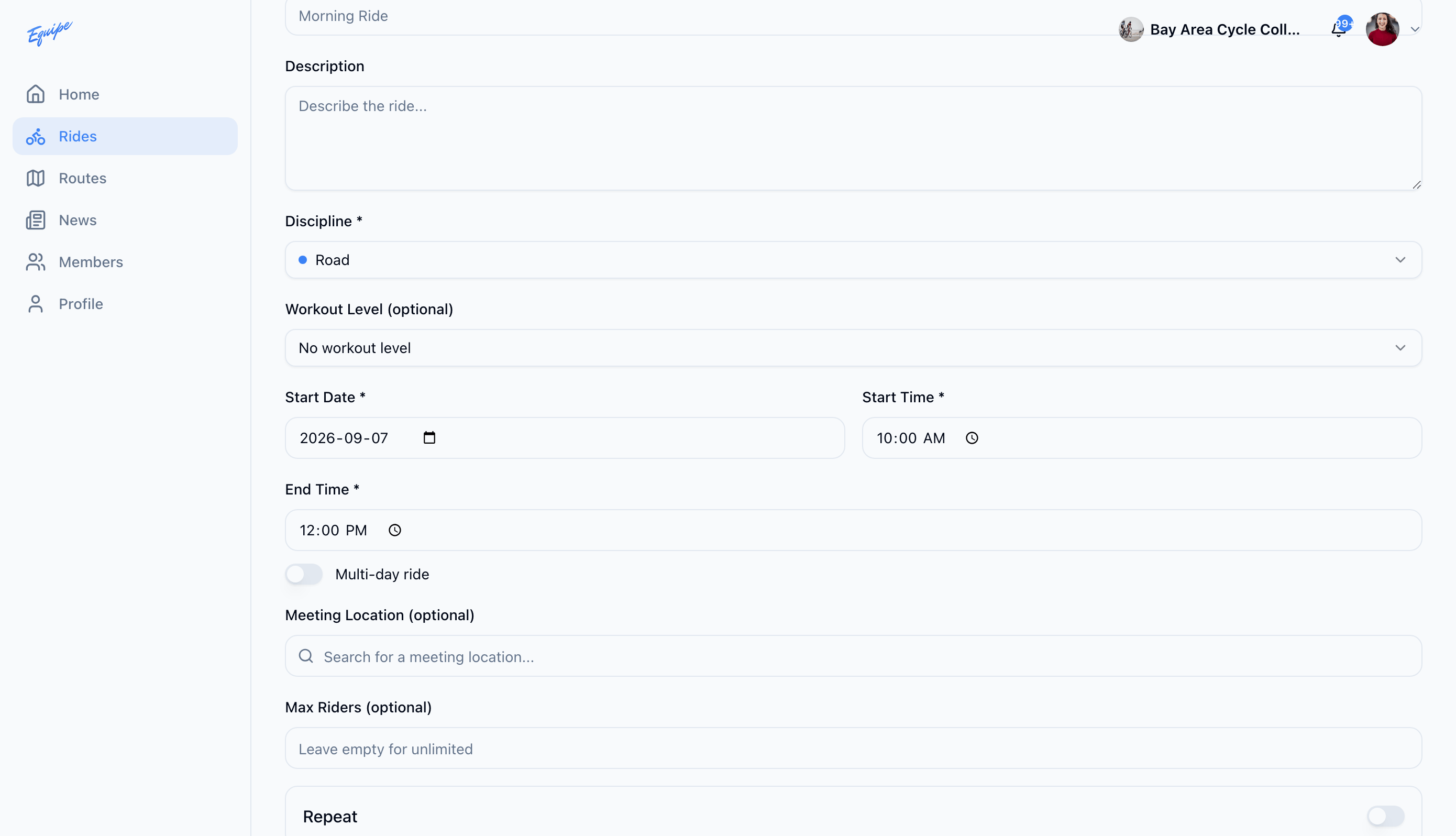
- Open Rides and click New Ride.
- Choose a route, or click Continue Without Route for a track day.
- Type a title in Ride Title.
- Choose a Discipline.
- Choose a Workout Level, if your club uses them.
- Set Start Date and Start Time.
- Add a Meeting Location, if you have one.
- Set Max Riders, if you want a limit.
- Click Create Ride.
If your club requires admin approval for new rides, the ride stays hidden from members until an admin approves it. See Ride approval.
On Android, Upload GPX File does not work yet. Use Import from Strava, Import from Ride with GPS, or Import by URL instead.