Rides
Calendar view
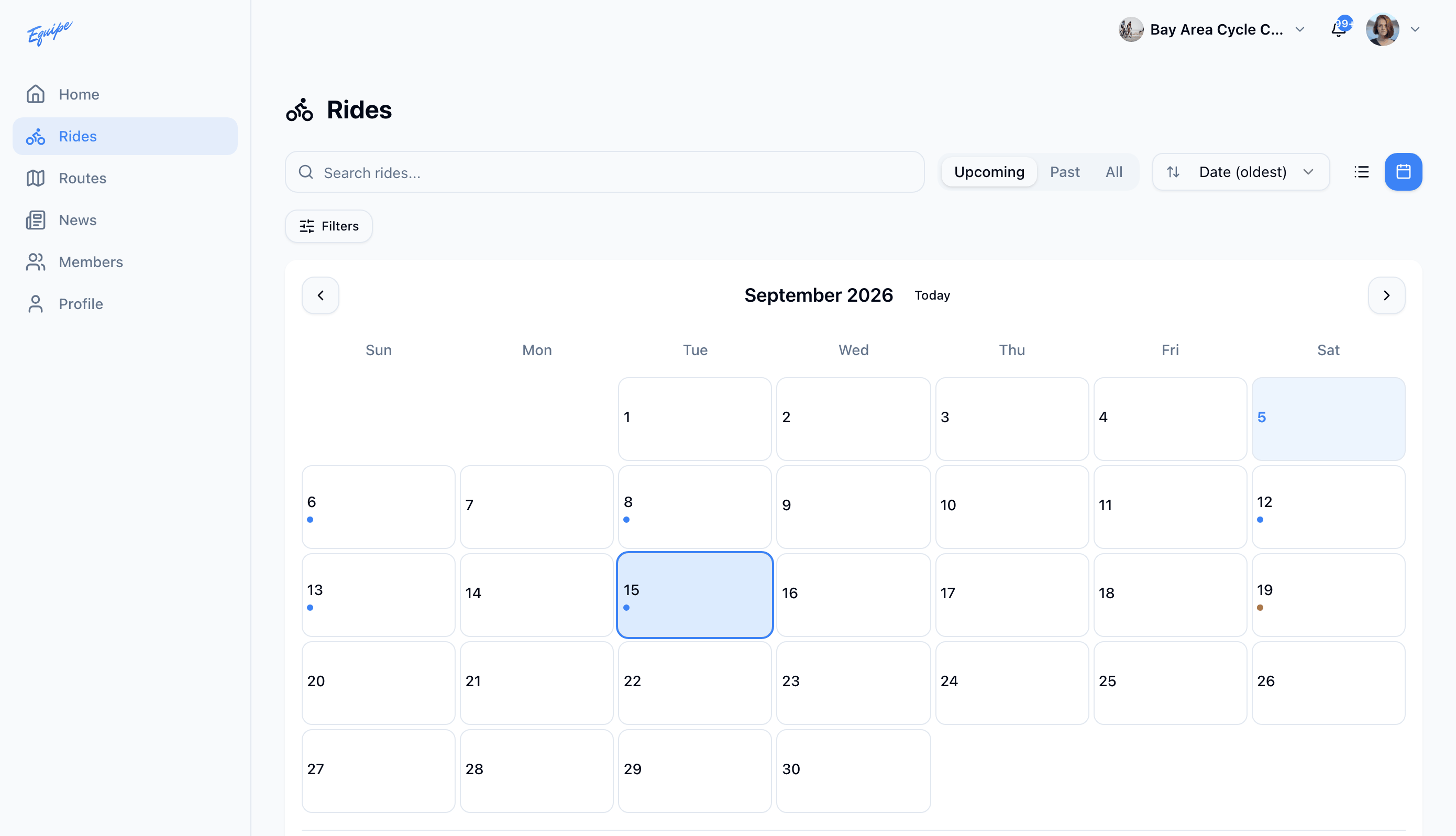
See your club's rides on a month calendar instead of a list.
Who can use thisMemberRide leadAdminOwner
The calendar view shows rides on the day they start. Each discipline gets its own marker color, so you can spot a road ride or a gravel ride at a glance. Tap or click a day to see its rides.
- Open Rides.
- Click the calendar icon next to the list icon.
- Click a day that has a marker.
- Check that the rides for that day show below the calendar.